Low-Code/No-Code vs. Traditional Development: An Ultimate Guide For 2025
Our last blog explored the fundamentals of Low-Code/No-Code development—what it is, why it matters, and how it’s transforming the way we work. But the conversation doesn’t end there. The big question remains: how does Low-Code/No-Code stack up against traditional coding?
In today’s tech landscape, Low-Code and No-Code platforms are revolutionizing application development, allowing both professional developers and everyday users to build software with unprecedented ease. Gartner predicts that by 2025, a staggering 65% of all app development will be powered by these platforms. But before you move away from traditional coding altogether, it’s important to understand the trade-offs. Which approach—Low-Code/No-Code or traditional development—is the right fit for your project?
This article is your ultimate guide to navigating the battle between coding and no-code solutions. We’ll break down their strengths, weaknesses, and best use cases, helping you make a smart, strategic choice for your next project.

1. Traditional Development
Traditional software development, also known as custom development, relies on manual coding using programming languages like Java, C++, Python, and JavaScript. This approach provides maximum flexibility and customization, allowing developers to build software solutions tailored to specific business needs. However, it requires significant time, expertise, and resources to execute effectively.
The Process of Traditional Development
Unlike Low-Code/No-Code platforms, traditional development follows a structured, multi-stage lifecycle, typically including:
- Requirements Gathering: Understanding business needs and defining software specifications.
- System Design: Creating wireframes, architecture diagrams, and selecting the right technology stack.
- Coding & Implementation: Developers write individual lines of code to build the application’s features and functionalities.
- Testing & Debugging: Identifying and fixing bugs to ensure performance, security, and reliability.
- Deployment & Maintenance: Launching the application and providing continuous updates, optimizations, and security patches.
The House-Building Analogy
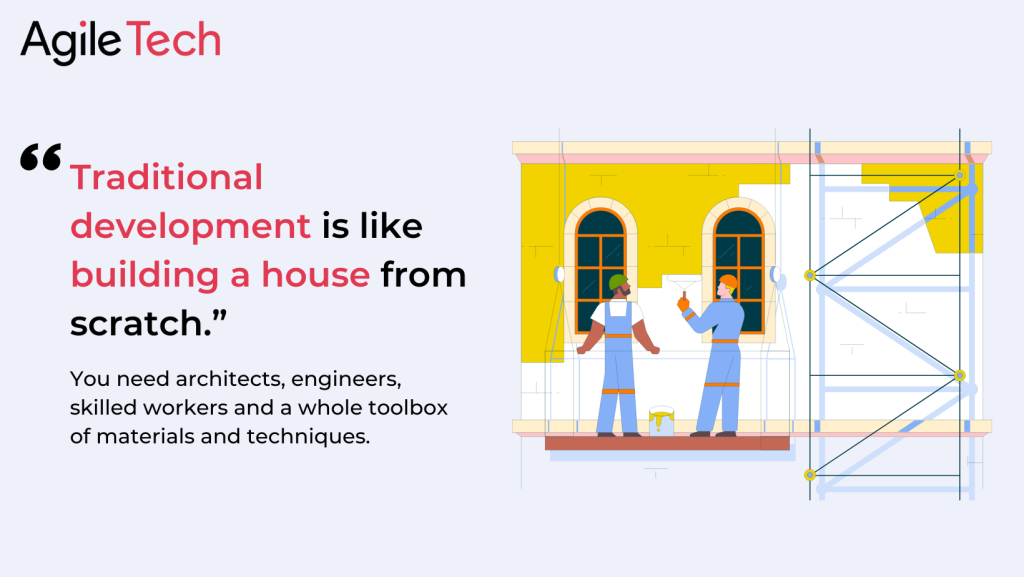
Think of traditional development as constructing a custom house from the ground up. You need a team of architects, engineers, and skilled workers, as well as raw materials and tools. The result is a fully customized home designed to your exact specifications, but the process is time-consuming and expensive. Similarly, custom software development provides unmatched control, scalability, and performance but requires skilled professionals and a longer development timeline.
Key Requirements for Traditional Development
To successfully execute a traditional development project, you need:
- Skilled Developers: Experienced engineers proficient in various programming languages and frameworks.
- Clear Software Requirements: Detailed documentation outlining the software’s purpose, features, and user expectations.
- A Robust Tech Stack: Choosing the right databases, backend and frontend technologies, and cloud solutions.
- Development Tools: Integrated Development Environments (IDEs), version control systems (Git), and debugging tools.
When to Choose Traditional Development?
While traditional development takes longer and requires more expertise, it is ideal for:
- Highly complex applications that require custom workflows, deep integrations, or advanced security features.
- Enterprise-scale solutions with a need for high scalability and performance.
- Industries with strict compliance requirements, such as finance, healthcare, and government services.
- Businesses that require full ownership and control over their codebase, security, and infrastructure.
In the next section, we’ll explore how Low-Code/No-Code platforms compare to this approach and which one fits best for different types of businesses.
2. Low-code/No-code Development
2.1. Definition
On the other hand, Low-code/No-code Development is a visual development approach that enables non-developers (a.k.a citizen developers). Instead of code editors and complex syntax, low-code/no-code platforms provide visual interfaces and drag-and-drop tools.
Think of it as building with Legos for your house. You still need some planning and assembly, but most of the heavy lifting is done with ready-made components. It’s faster, easier to learn, and accessible to non-technical folks. However, flexibility and customization are limited compared to traditional methods.
2.2. Key Features
Visual Development Environment
- Drag-and-drop interfaces: Users build applications by visually arranging components and elements, rather than writing lines of code. It’s like assembling a web page or app using building blocks.
- Intuitive design tools: Platforms provide editors and visual tools for designing user interfaces, workflows, and data models.
Pre-built Components and Templates
- Common features and functionalities: Platforms offer a library of pre-built components, like forms, buttons, data tables, and integrations with external services.
- Ready-to-use templates: Users can start with pre-designed templates for common app types, such as business process automation, web portals, or mobile apps, and customise them to their needs.
Logic and Workflow Building
- Visual logic builders: Users define app behaviour and interactions using visual tools like flowcharts, decision trees, and rule builders, rather than writing complex code.
- Integration with external services: Platforms often provide connectors to integrate with various external systems, such as databases, CRMs, and social media platforms.
Deployment and Maintenance
- Simplified deployment: Apps can be deployed to production environments with minimal technical expertise, often with a few clicks or automated processes.
- Automatic updates: Platforms often handle updates and maintenance of the underlying infrastructure, reducing the need for manual IT involvement.
Collaboration and Version Control:
- Team collaboration: Some platforms support team development and collaboration features, enabling multiple users to work on projects simultaneously.
- Version control: Platforms may offer versioning capabilities to track changes and revert to previous versions if needed.
2.3. Strengths & Limitations
Strengths of Low-Code/No-Code Development
- Speed and accessibility: Development is often much faster, allowing anyone with basic technical skills to create apps. It’s like making art accessible to everyone, not just trained artists.
- Cost-effectiveness: Low-code/no-code can reduce development costs by minimising the need for expensive developer resources. It’s like having a well-stocked art studio that’s affordable to use.
- User-friendliness: Visual interfaces and intuitive tools make it easier for non-technical users to understand and contribute to development. It’s like painting with watercolours instead of mastering oil painting techniques.
Some limitations to consider
- Limited flexibility: While platforms offer customization options, they may not be as flexible as traditional development for highly complex or unique projects. It’s like working within the constraints of available paints and canvas sizes.
- Vendor lock-in: Switching platforms or exporting code can sometimes be challenging, creating a dependency on the chosen vendor. It’s like choosing a specific art studio with its unique tools and supplies.
- Potential performance or scalability issues: Low-code/no-code apps might not be as optimised for performance or handle large-scale applications as effectively as custom-built solutions. It’s like comparing a quickly made sketch to a meticulously crafted oil painting.
Related Post: Top 8 Low-Code/No-Code Platforms For You In 2025
3. Low-code/No-code Use Cases
Low-code and no-code platforms empower businesses to create applications quickly and efficiently, catering to a variety of needs across industries. Below are some key use cases with examples of how businesses can leverage these platforms.
Web and Mobile Apps
- Business Websites: Build professional, SEO-friendly websites to showcase company information, services, and product catalogs.
- Example: A startup uses a no-code platform to launch a sleek company website without hiring developers.
- E-commerce Platforms: Develop online stores with product listings, secure payment gateways, and inventory management.
- Example: A local retailer creates an online storefront using a low-code solution, integrating Stripe for payments.
- Customer Portals: Provide secure portals where customers can track orders, manage subscriptions, and communicate with support.
- Example: A telecom company builds a self-service portal where users can check data usage and pay bills.
- Employee Portals: Centralize HR processes like time tracking, leave requests, and payroll management.
- Example: A multinational company deploys an internal portal for employees to submit expense claims.
- Mobile Apps: Develop customer-facing or internal apps for various business functions.
- Example: A logistics company builds a field service management app for real-time delivery tracking.
Workflow Automation
- Business Process Automation (BPA): Automate repetitive workflows such as invoice approvals, recruitment processes, and compliance tracking.
- Example: A law firm automates client intake and case assignment using workflow automation tools.
- Task Management: Assign and track tasks, set deadlines, and monitor progress.
- Example: A marketing agency automates content approval workflows and collaboration tasks.
- Project Management: Plan, execute, and track project milestones, resource allocation, and team communication.
- Example: A software company manages sprint planning and bug tracking through an automated low-code system.
- Document Management: Digitize and automate document approval, storage, and retrieval.
- Example: A financial institution automates document verification for loan applications.
Data Management and Analytics
- Data Dashboards: Build interactive dashboards to monitor KPIs and analyze performance trends.
- Example: A retail chain tracks sales performance across multiple locations in a single dashboard.
- Reporting Tools: Generate automated reports with data visualizations.
- Example: A healthcare provider extracts patient data trends to optimize hospital operations.
- Data Collection Apps: Develop mobile-friendly forms for surveys, audits, or lead generation.
- Example: A market research company gathers real-time customer feedback using a no-code survey tool.
- Data Integration and Analysis: Connect databases, spreadsheets, and third-party analytics tools for business insights.
- Example: A fintech startup automates transaction data processing by integrating various banking APIs.
Integrations and APIs
- Connect to External Systems: Seamlessly integrate with CRMs, ERPs, accounting software, and cloud storage services.
- Example: A sales team integrates a no-code CRM with HubSpot and LinkedIn for lead tracking.
- Build APIs: Create custom APIs to facilitate communication between different business applications.
- Example: A logistics company builds an API to connect their inventory system with third-party suppliers.
- Automate Data Exchange: Set up real-time synchronization between multiple business systems.
- Example: A travel agency automates booking confirmation emails and invoice generation.
Customer Engagement
- Chatbots: Deploy AI-powered chatbots for instant customer support, lead generation, and FAQs.
- Example: An e-commerce store sets up a chatbot for personalized shopping recommendations.
- Personalized Marketing Campaigns: Automate email sequences, SMS notifications, and targeted promotions.
- Example: A SaaS company triggers automated onboarding emails based on user behavior.
- Feedback and Survey Tools: Collect user feedback to enhance customer experience and product offerings.
- Example: A hospitality business gathers guest satisfaction insights through an automated survey tool.
Internal Tools and Apps
- Employee Onboarding: Develop interactive portals for new hires, including training modules and HR documentation.
- Example: A tech company automates its onboarding process with a step-by-step employee training app.
- Knowledge Bases and Wikis: Create internal databases for FAQs, SOPs, and company policies.
- Example: A customer support team builds an internal wiki for troubleshooting common issues.
- Project Tracking: Enable teams to monitor project status, manage resources, and optimize workflows.
- Example: A construction firm tracks site progress and material inventory using a low-code project tracking tool.
- Approval Workflows: Streamline internal requests like budget approvals, procurement, and leave applications.
- Example: A corporate HR department automates leave approval workflows, integrating with payroll systems.
With these use cases, businesses can leverage low-code/no-code platforms to accelerate digital transformation, enhance efficiency, and improve customer experiences without the need for extensive coding expertise
4. Low-code/No-code vs Traditional Development: Which One is Better?
Here’s a table comparing Low-code/No-code and Traditional Development:
| Feature | Low-code/No-code Development | Traditional Development |
|---|---|---|
| Coding | Minimal or no coding required | Extensive coding required |
| Technical Expertise | Accessible to non-technical users | Requires experienced developers |
| Development Speed | Rapid development cycles | Longer development process |
| Customization | Limited by platform capabilities | Unlimited customization |
| Testing | Functionality and usability tests ensure all components of the app are in order | There are tester and QA engineers to carry out tests to ensure developers’ code works as intended |
| Deployment | Most LCNC platforms offer a hosting environment from where the apps can be deployed | The app is deployed to a chosen infrastructure, which may involve setting up dedicated servers, databases, and network configurations |
| Maintenance | Often easier due to visual interfaces | Can be more complex and time-consuming |
| Cost | Generally lower development cost | Higher development costs due to labor |
| Time to Market | Faster time to market | Longer time to market |
| Scalability | Can be limited to highly complex or high-volume applications | Can be scaled to meet any needs |
| Vendor Lock-in | Potential risk of vendor lock-in | No vendor lock-in |
| Security | Security measures depend on the platform | Full control over security |
| Ideal Use Cases | Simpler applications, rapid prototyping, automating tasks | Highly customized, complex applications, mission-critical systems |
Ultimately, you don’t have to pick a winner, and there is no battle between the two. The right approach to you depends on what you are going to build, and how you want your product to be. In some cases, you can combine the two options to leverage the strengths of each and build powerful applications.
5. Considering Factors When Choosing the Right Option for Your Project
Before choosing the right development for your project, there are some factors you need to consider about its essence. Let’s take a look:
Project Complexity
If your app is your core of business with many unique features, requiring highly customized and complex apps, then choose traditional development, as it provides the necessary flexibility and control. In contrast, if you need simpler apps, rapid prototyping, or automating tasks, then low-code/no-code platforms can significantly accelerate development cycles.
Roadmap
If you already have a clear roadmap with well-defined future features and functionalities, then traditional development can offer greater control and flexibility to accommodate evolving needs. In case you are still uncertain or have rapidly changing requirements, low-code/no-code platforms allow for quicker adjustments and adaptations as needs evolve.
Budget & Development Resources
In fact, Low-code/No-code can reduce costs by minimizing reliance on expensive developers and shortening development time. While this may be true, traditional development can be affordable, you need to consider the cost of hiring and retaining skilled developers, as well as the potential for longer development cycles.
For projects under $10,000, no-code platforms offer an ideal cost-effective solution. With a budget between $20,000 and $30,000, low-code platforms provide a balance of efficiency and customization. For budgets exceeding $80,000, custom development unlocks the full potential of tailored solutions to meet the most complex needs.
Imagine crafting a news reader app. While the functionality remains the same, the development route you choose dramatically impacts your budget and timeline
- No-code: Get your app running in just a week for a budget-friendly $4,500. Speed and savings, hand in hand!
- Low-code: Double the development time (two weeks) but still enjoy cost-effectiveness with a price tag of around $9,000.
- Custom-development: Opt for full control and customization, but be prepared for a four-week journey and a heftier budget of $16,000.
Development Speed
Low-code/No-code platforms excel in delivering apps quickly, so you can choose them for rapid development and quick iterations. However, traditional development allows for greater control and customization, potentially balancing with a longer development process and less strict deadlines.
User Interface (UI)
Traditional development provides full control over the visual design and user experience, so you can highly customise your UI with unique design elements of complex user interactions. Low-code/No-code platforms often offer pre-built UI components and templates, so it won’t give you enough room to wiggle with the UI/UX.
External Integration
Theoretically, low-code platforms allow you to integrate various data sources, external systems, and legacy infrastructure. But if you need deeper and more sophisticated integration, e.g, fetch data from the stock market, process it in the app, and pass it onto other services, you’ll get better result with custom development
Convoluted Logic
With applications involving complex algorithms, intricate data processing, or performance-critical functions, traditional development might be more suitable for handling such complexities. Therefore, simpler logic and data flows can be effectively managed within low-code/no-code platforms.
Conclusion
So, have you chosen your champion? Whether you side with the swift efficiency of LCNC or the unwavering control of traditional development, remember this: the ideal tool lies not in blind allegiance, but in a clear understanding of your project’s unique needs and aspirations. Weigh the speed, accessibility, and cost-effectiveness of LCNC against the limitless customization and performance of traditional coding. Don’t be afraid to explore hybrid approaches, blending the strengths of both to craft a perfect solution.
Ultimately, the key to success lies in making an informed choice, one that empowers you to build the applications that revolutionise your world. Embrace the power of development, in all its code-filled and code-free glory, and step into the future, your perfect tool in hand!
Are you ready to unlock the power of Low-code/No-code in your business? Contact AgileTech today!